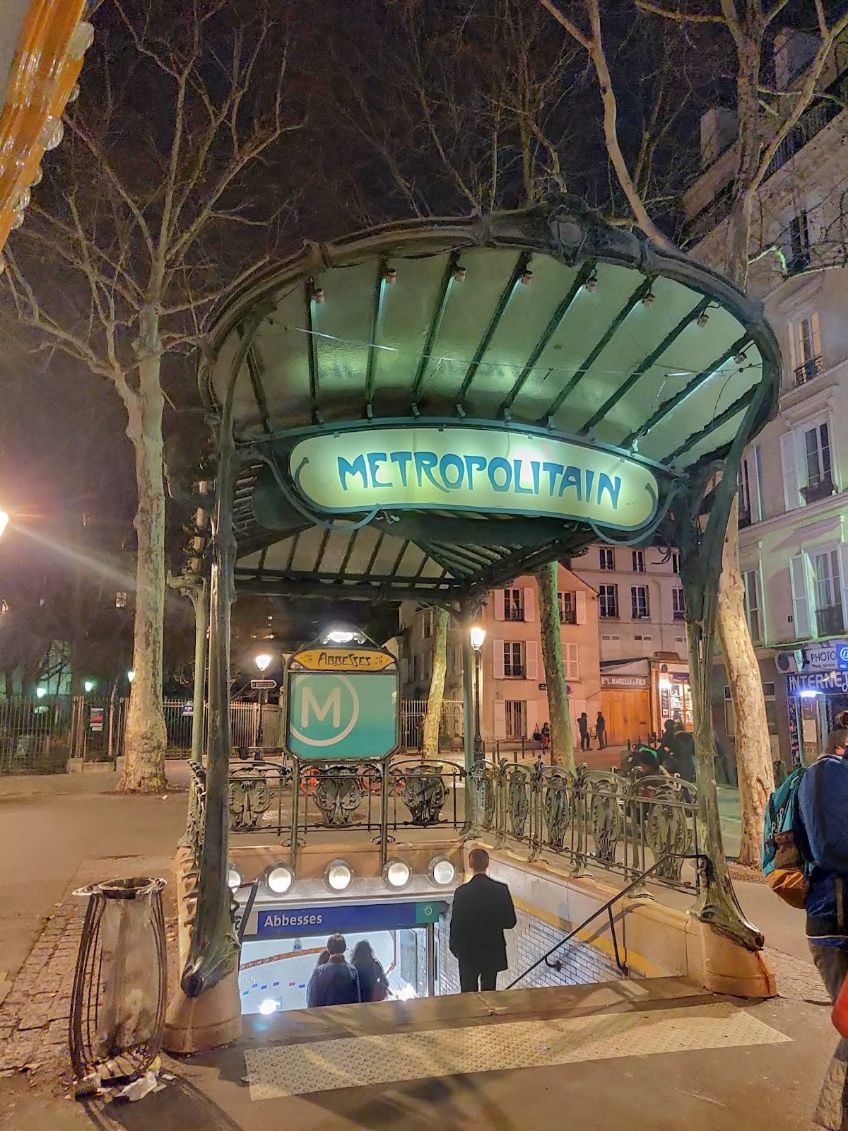
Travel Tips | Paris Public Transportation

There is SO much to see and do in Paris that you should put together a plan for your transportation needs BEFORE you arrive. Oh, and pack your most comfortable shoes because walking is the easiest way to get around Paris. What I love so much about seeing Paris by foot is that you never know what you may find around every corner-a musician, street art, or who knows?? Enjoy the journey!

For our Girls’ Trip 2023, I researched the easiest and most cost-effective ways to use public transportation to supplement our walking just so we don’t get shin splints on our first day! I average about 10 miles a day walking when I’m in Paris but unfortunately, I don’t get that level of exercise at home in Boise where we have to drive everywhere. We are in Paris for a full six days for our Girls’ Trip so, while we will no doubt walk ALOT, we will also want to use the excellent bus and Metro system to supplement getting around Paris. Surface traffic on the busy Paris streets is terrible as it is in most cities. Why waste time (and money!) being stuck in car traffic when there are cheaper and faster alternatives in the form of buses and Metros available all over Paris. I usually only use Uber as a last resort and getting taxis can be very difficult in Paris.

Two Public Transportation Payment Card Options to Consider:

NAVIGO DECOUVERTE CARD:

WHAT IS IT?

  • A multi-use public transportation card (like the Oyster card in London) that covers all of Metro Paris and can be used for unlimited use during a specific time frame on the Metro (subway), RER trains (including to the airport, Disneyland and Versailles), buses (great way to get around and see Paris quicker than taking a car because buses have their own designated street lanes), trams and even the Montmartre funicular unless you want to walk up the 300+ steps

WHO NEEDS IT?

  • Tourists who plan to use public transportation in Central Paris alot and don’t care about getting any discounts on local attractions (see Visite card below for that) 

WHERE DO I BUY?

  • Purchase the Navigo Decouverte card at any Metro, RER station or the airport at the Billets Paris et Ile-de-France train ticket window that normally sells tickets and passes
  • You have to provide a color headshot photo 3cm tall x 2.5cm wide (passport photo size) that goes on the card itself.
  • You have to choose a validity zone when you purchase it. To get around the center of Paris, the one for zones 1-2 is perfect.

HOW MUCH DOES IT COST?

  • 30€ for a week pass which runs from Monday through Sunday plus 5€ fee (non-refundable) for the physical Navigo card itself (no children pricing)

HOW DO I USE IT?

  • At Metro and RER stations, hold the card against the purple reader zones on the turnstiles or barriers to open fare gates. Keep the card against the scan zone until you hear a sound indicating it has been read correctly to validate
  • As you enter a bus, you will see a Navigo reader machine to tap your card against in order to validate your ride.
  • Failure to validate your ticket every time you use it could result in a fine (I’ve seen 50€ fines!) by security officers who routinely check passengers for validated cards/tickets

FOR MORE INFO ON NAVIGO CARD GO HERE: Navigo monthly and weekly travel passes | RATP

VISITE CARD:

    WHAT IS IT?

    • A multi-use public transportation card that covers all of Metro Paris and can be used for unlimited use during a specific time frame on the Metro (subway), RER trains (including to the airport, Disneyland and Versailles), buses (great way to get around and see Paris), trams and even the Montmartre funicular
    • Purchase passes for different period of 1, 2, 3, or 5 days. It is valid from midnight on the first day and ends at midnight on the last day.

    WHO NEEDS IT?

    • Tourists who may only need public transportation for a day or two and would use discount on attractions that come with the card like for the Opera Garnier, sightseeing cruises on the Seine or a bus tour, etc.

    WHERE DO I BUY?

    • Purchase the Visite card at any Metro, RER station or the airport at the Billets Paris et Ile-de-France train ticket window that normally sells tickets and passes. After you buy it, you must write your first and last name on it along with the starting and ending dates of validity. No photo is needed.

    HOW MUCH DOES IT COST?

    • Pricing is by day and by zone and ranges from 1 day in zones 1-3 for $15 US to 5 days in zones 1-5 for $74. Zones 1-3 will all you to travel around the city. Zones 4-5 will get you to Disneyland, Versailles and the airports.
    • There is children pricing with this pass. See online site for more details.

    HOW DO I USE IT?

    • At Metro and RER stations, hold the card against the purple reader zones on the turnstiles or barriers to open fare gates. Keep the card against the scan zone until you hear a sound indicating it has been read correctly to validate
    • As you enter a bus, you will see a reader machine to tap your card against in order to validate your ride. Failure to do so could result in a fine by security officers who routinely check passengers for validated cards or tickets

    FOR MORE INFO ON VISITE CARD GO HERE: Paris Visite travel pass | RATP

    Transportation apps

    • G7 for taxis-have used with some success
    • Uber-works pretty well in Paris
    • Paris Metro for subway
    • Citymapper to get around town-I use this app for walking guidance, but it does show other transportation options as well
    • Rome2Rio for transportation to show all options to get from Point A to Point B-my preferred app

    Helpful links below from RATP (Régie autonome des transports parisiens aka in English as Parisian Autonomous Transport Administration), which is the state-owned public transportation operator.

    RATP site Paris Public Transportation PDF maps:

    Travel Tips | Medical Care Abroad

    Plan for the unexpected! You don’t want to be googling for the nearest hospital or how to call an ambulance during a medical emergency when visiting a foreign country. Trust me-been there, done that!

    When Thom and I both got Covid while in Florence on a trip, the first thing I did was start researching local medical care. I was surprised that they didn’t have the urgent care centers like we do in the US where you can just walk in and see a doctor with no appointment. In Florence, if you need immediate medical care, you have to go to the emergency room at the hospital. Some cities will have medical clinics, some won’t. However, pharmacists are very helpful in European countries. They will talk to you, ask about symptoms, and suggest medications. In Florence, I was able to get several meds that helped us with our mild Covid symptoms. I did have to buy a thermometer and an oximeter in Italy, both of which I now travel with on all our trips.

    After travelling to Vietnam from our home base in China during my work assignment there, we started travelling with a robust first aid kit. Thom rolled his ankle stepping off a curb our first night in Hanoi on a vacation. We quickly found out that there is no ice in Vietnam, at least none that we could find, so he held a cold Coke can to his ankle to reduce the swelling. The pharmacies were not stocked well like Europe, but we finally found a wrap and he hobbled around on our Halong Bay cruise. Now we travel with an instant ice pack and that wrap.

    I decided to write this post to help others when we stayed last month at a quaint Swiss hotel in Chur that was a wood beam concussion obstacle course (see pic above) waiting to happen. If/when Thom knocked himself out after running into a beam, I wondered what I would do. Did I want to depend on the night help that may or may not be staffing the hotel front desk? Do they even have a hospital here in the middle of the Alps? Luckily, we didn’t hurt ourselves on those charming low beams but next time I travel, I will be better prepared and research in advance so if, God forbid, something happens, I can quickly take the appropriate action. I put together the following list to help me and now you to prepare for possible medical issues you may encounter when you travel.

    Practical tips when you are travelling:

    1. Go to the nearest pharmacy (look for green cross sign-see pictures above) but don’t expect them to be open 24/7 like in the US. European pharmacists act like doctors in many regards and will talk with you, ask questions and can diagnose and prescribe medicine for many simple medical issues like sore throats, muscle pain, migraines, etc. My husband got what he needed from a pharmacist in Basel, Switzerland on a recent trip-easy and cheap! The pharmacist interviewed Thom and gave him meds for a persistent cough.
    2. Call 112 in most European countries for urgent medical assistance (the US 911 equivalent) or call an Uber/taxi yourself and go directly to the nearest hospital if the condition warrants it. House calls might be possible. If you are staying at hotel or an Airbnb, ask the front desk/host to assist you in finding a doctor who can come and see you.
    3. Handling medical costs-Nearly all European countries have a universal health care system. Each country will have different payment arrangements for health care, and it is not all “free” for travelers as some might assume. However, the costs are minimal compared to medical costs in the US for the uninsured. You may be asked to pay out of pocket for any medical treatment. Check your medical insurance policy before you travel. You may not be covered when you are outside the US. If you are on Medicare, it doesn’t cover healthcare during international travel. However, some Medicare Advantage (like Part C) plans may cover certain emergencies if they occur outside the United States. Check out any travel insurance plans and compare before you buy. Notify the company immediately that you purchased travel insurance from if you have to use it for an injury. They can work directly with the hospital/doctor to get bills paid-here are some sites to research:

    Travel Insurance Quotes Online – TravelSafe

    Buy Now | iTravelInsured Travel SE – IMG (imglobal.com)

    Travel Medical Insurance (betins.com

    TRAVEL MEDICAL PACKING LIST

    Prescription meds (preferably packed in labeled original containers) If you forget them, ask the pharmacist for them even if you don’t have a prescription on you-they may give them to you or, better yet, take a picture of your prescription and show it to the pharmacist. Certain drugs in Europe are over the counter and don’t need a prescription like they do in the US. Make sure to follow new directions given as some meds may be stronger than the US version. The pharmacist in Paris gave me prescription thyroid meds that I forgot on a trip and didn’t need any documentation to prove I was taking it. Pack extra meds in case you are delayed.

    Over The Counter Meds:

    Nyquil/Dayquil

    Cough suppressant

    Saline nasal spray-good for preventing bloody noses

    Tylenol or Advil PM (helpful to aid sleeping while adjusting to time zones)

    Suntan lotion and sunburn relief (aloe vera gel)

    Pain reliever: Tylenol and/or ibuprofen

    Benadryl

    Imodium

    Tagamet

    Laxatives or stool softeners

    Motion sickness meds

    Eye drops

    Medical help:

    Antibacterial wipes (clean that airplane seat space)

    Hand sanitizer (so handy when using public transportation)

    Self-adhesive wrap

    Tiny scissors to cut gauze, etc.

    Instant cold pack

    Antibiotic ointment

    Antiseptic to clean wounds

    Band-Aids (all sizes)

    Moleskin (to cover blisters)

    Gauze

    Medical tape

    Calamine lotion

    Tweezers (removing splinters, etc.)

    Thermometer

    Oximeter

    Covid tests

    Face masks-handy for areas with bad AQI and crowded spaces

    Dental:

    Travel Fixodent

    Dental repair kit

    Back issues:

    Blow up pillow for hard seat (trains, concerts, etc.)

    Back brace

    Hair ties to make Denny roll out of towels (for back issues)

    Walking stick (collapsible)

    Salon PAS

    CBD cream

    Knee brace

    Plug in heating pad (after long day of walking, we fought over who got this first)

    Be safe with your travel emergency kit:

    • Make a list of all your prescription meds and take a doctor’s note that explains any prescription opioids or medications with needles. You never know when TSA may ask questions.
    • If you are travelling with kids, keep the first aid kit out of reach and locked.

    With some planning and preparations before you travel, any emergency that comes up that is minor can be handled with your travel emergency kit. For serious illnesses and injuries, seek out medical care immediately. Enjoy a healthy and safe journey!

    Key sites to check out before you travel:

    Go to the US embassy’s site and select where you are travelling and look under the “US Citizens Services” section for medical services information.

    France/Paris https://www.angloinfo.com/how-to/france/paris/healthcare/emergencies/emergencies-in-paris and https://en.parisinfo.com/practical-paris/useful-info/health-in-paris

    General https://wwwnc.cdc.gov/travel/page/health-care-during-travel

    Top 10 Paris Travel Apps

    I use many different travel apps to help my adventures go smoothly but, with our Girls’ Trip to Paris coming up quickly, I put together a specific list of the top travel apps that are “must haves” for us to use there. I thought I would share my favorites so you too can embrace technology and enjoy the journey!

    Of course, there are many apps out there that are super niche for Paris only but the apps I’ve decided to share are ones that I’ve used in Paris and found essential in the past. The websites for the apps below are included so you can check them out and decide if they will work for you. Then, if you determine you need these apps, download the app to your mobile device to use while you are travelling. Make sure you set up any profiles in advance so you are ready to use (for example, Uber will need payment info stored). Many people ask me about what to do with their phones while they are travelling abroad. There is so much information around this topic that I wrote a separate blog post here My Top Phone Tips for Traveling Abroad – Travels with Melinda.

    GETTING AROUND

    Rome2Rio: discover how to get anywhere is an app that I have used in many different European places and all across the US. My favorite app! You just input where you want to go from Point A to Point B and it searches any city, town, landmark, attraction or address across the globe with thousands of routes to easily get you from A to B. It gives you timetables and estimated pricing for all types of transportation-trams, bus, subway, train, taxi, etc. If you decide to walk, it tells you how long it will take and helps guide you around that way too. In planning a logical itinerary, this is the app I use most often.

    Citymapper – The Ultimate Transport App is a free public transit app with mapping that displays transport options, usually with live timing, between any two locations in a supported city.  Similar to Rome2Rio but very helpful for getting around by any means of transportation from e-scooters to walking to biking to subways. I like this app best for getting around by foot.

    Google Maps can be used to navigate around town. This is the app my husband likes best.

    Uber is great to get around and I have successfully used it in Paris (not the case in some European cities). Check here Uber Cities – Rides Around the World | Uber before you go to other countries to see if Uber is available. I’ve never used Bolt but it works in Paris too.

    RATP for the Paris Metro. This app has maps and train schedules plus it will notify you of delays. Having the app gives you free access to the RATP WiFi network.

    G7 Taxi to book a taxi for immediate pick-up or schedule a ride up to 14 days in advance. You can pay the driver via the app or when you take the ride. I’ve had better luck with Uber getting rides but I have this app too just in case.

    COMMUNICATING

    Google Translate instantly translates words, phrases, and web pages between English and over 100 other languages. I’ve used this app mostly to translate menus.

    WhatsAppI have found that some restaurants in Europe use this app instead of other apps to book reservations. Airbnb hosts may use this vs. text/call. You can also stay in touch with friends and family for free no matter where you are vs. using international phone service because WhatsApp uses Wi-Fi not phone data. If you don’t want to use your cell (usually $10 a day for international use) then just use WhatsApp. You can message, chat and video chat for free. Just make sure whomever you want to connect with back home also has the app and, of course, you will need to be connected to Wi-Fi to use it but it’s free!

    EATING

    The Fork app is for making reservations at restaurants. Availability is given in real time. You don’t need to make reservations for the cafes you will find on every block in Paris but for popular restaurants you may want to reserve in advance so not to be disappointed.

    USING THE FACILITIES

    Toilets of Paris app helps you find public toilettes, water closet or W.C. aka bathrooms/restrooms. This app is available on iOS and android and includes public bathrooms and those in restaurants, where you will probably need to buy at least a drink to use their facilities. Large hotels with lobby bathrooms are great places to go too.

    Now that you’re all set with the essential travel apps, take off to the City of Lights and have an amazing adventure!

    Top Travel Apps

    I use many different travel apps so that my adventures go smoothly. I thought I would share my favorites to help you too. I’ve included websites for many apps below so you can check them out and decide if they will work for you. Then, download the app to your mobile device to use while you are travelling. Embrace technology and enjoy the journey!

    PLANNING THE TRIP:

    OVERALL PLANNING AND ORGANIZATION

    OneNoteI use Microsoft OneNote, which is a digital note-taking app where I can jot down ideas, make to-do lists (my fav!), and more. OneNote is part of Microsoft 365 and you can sign in with your Microsoft account. Using OneNote, I can access my travel notes/files on my laptop AND my mobile device while travelling. I have a separate notebook for each trip. Within each notebook, I have sections/pages for every place, flights, hotels, etc. I will put in screenshots and download files for any tickets and travel confirmations. This way I can travel paperless, quickly pulling up anything up on my phone (even without Wi-Fi or cell service-which happens to me a lot!) that I might need while travelling. You can also share the OneNote with fellow travelers on your journey. That way you can collaborate on all the details!

    TripIt – Highest-rated trip planner and flight tracker is very popular. I tried TripIt out on our last two trips and it’s best feature is that when you book a flight, hotel, car, or other reservation, you can simply forward it to plans@tripit.com, and they automatically add it to your trip file. You can also add in other details yourself like tours you are taking, concerts, etc. I liked that you could click into a trip item and it shows the address and then you can click on the address and get mapping to get there. Try it!

    AIRLINES

    Once you know the place and the dates, you will want to start looking at airline prices. Tip: set up an alert (see apps below) to track how the prices are fluctuating. If you know you definitely want a particular airline, make sure you download their app and set up a search on that site. Hot tips: Book on a Sunday to save up to 15% on average according to Expedia data and book at least a month before domestic flights and six months before international travel to save 10% on average. Depart on a Wednesday to save up to 15% on average.

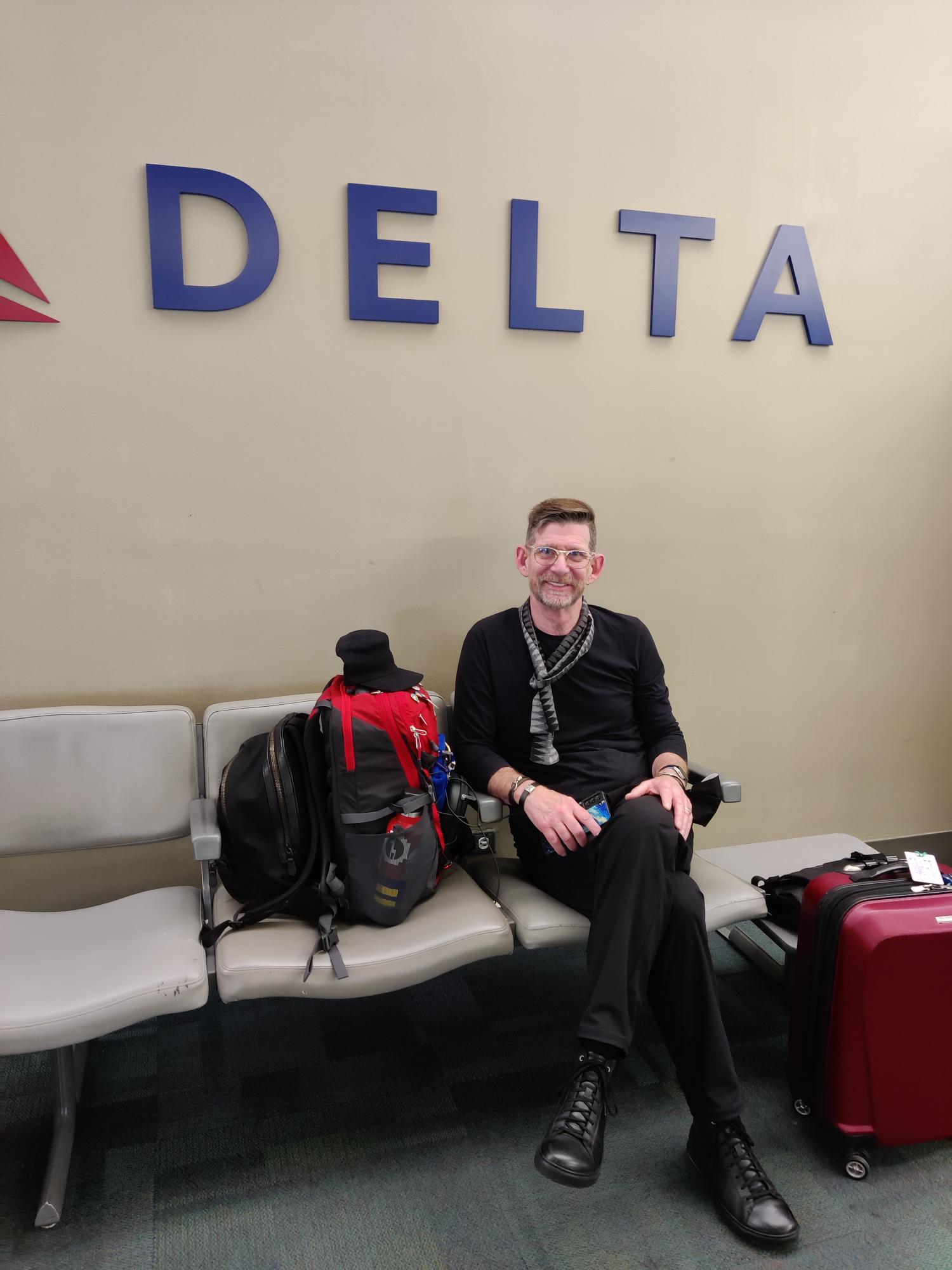
    Download the brand app-I fly Delta primarily so I have their app downloaded. They will notify me of any flight changes and push notifications to my phone about gate changes, boarding announcements, etc.

    General airline search for flights and pricing:

    Skyscanner: Compare Cheap Flights & Book Airline Tickets to Everywhere | Skyscanner

    Google: https://www.google.com/flights

    SeatGuru: Airline Seat Maps, Flights shopping and Flight information- Best Airplane Seats – SeatGuru (owned by Tripadvisor) Find out details on your airplane seats (do they recline, are they close to bathrooms,etc.) and book flights.

    TRANSPORTATION & GETTING AROUND

    Rome2Rio: discover how to get anywhere is an app that I have used in many different European places and all across the US. My favorite app! You just input that you want to go from Point A to Point B and it searches any city, town, landmark, attraction or address across the globe with thousands of routes to easily get you from A to B. It gives you timetables and estimated pricing for all types of transportation-tram, bus, subway, train, taxi, etc. If you decide to walk, it tells you how long it will take and helps guide you around that way too.

    Citymapper – The Ultimate Transport App Citymapper is a free public transit app with mapping that displays transport options, usually with live timing, between any two locations in a supported city.  Similar to Rome2Rio but very helpful for getting around by any means of transportation from e-scooters to walking to biking to subways. I like this app best for getting around by foot.

    Google Maps can be used to navigate around town. This is the app my husband likes best.

    Uber is great to get around if it is available in the city/country you are visiting and your cell service works. Check here Uber Cities – Rides Around the World | Uber before you go and download the app. I’ve used Uber in many places around the world and sometimes it works like a charm and other times I’ve had to figure out a back-up plan (like bus or walking) when you just can’t get a driver to accept your ride.

    FREE NOW – Europe’s best mobility app. Available in 100+ cities (free-now.com) is handy because Uber not available in all countries. This app covers taxis, scooters, scooters and electric bicycles, or rent a car in sharing.

    Subways are a great way to get around town. Download the subway app for the city you are visiting to get all the information on fares, how to pay (tap to pay in NYC/Europe which you do with your smart watch, phone with Google Pay or Apple Pay or credit card). Want to know which stops are accessible with elevator in case you can’t do stairs? It should be on the app.

    TRAINS

    We have travelled by train and trams all over the UK, Italy, Switzerland and, in the Fall of 2023, we will be in France. Europe has far superior train systems than the US. Every country has their own train systems so too numerous to mention. Here are some aggregate sights to research train travel no matter what country you are going to be in:

    Book, search & compare trains, buses & flights (GoEuro) | Omio

    https://www.seat61.com/

    HOTELS

    Brand app-I stay in Marriotts (when not using Airbnb) if at all possible because I have Platinum Elite status and get all kinds of nice upgrades and late check-out. Download the hotel app where you are staying and make sure you are getting points for spending money there! We are on a trip to Switzerland right now and almost all of our hotel stays are free using points accrued from our trip last year to the UK.

    APARTMENTS

    We often stay in an Airbnb when we are in one place for more than a few days. I’ve written a separate blog post Top 5 Tips to Book an Airbnb you can check out. Download the Airbnb app on your phone and best of luck finding the perfect place to stay on your next adventure!

    TOURS

    Viator/TripAdvisor (same company-different sites) research everything there from hotels to tours to general things to do. You can read traveler reviews to determine if it seems like a good fit for you. This is my “go to” place when I start to research a location to visit.

    SEEING THE SIGHTS

    Audio Tours for Europe by Rick Steves-use for research and also while travelling vs. taking a tour-free! Download to your phone and bring your ear buds (don’t forget your power source to plug into when your battery dies).

    Homepage – Smartify: When you visit a museum, you scan the piece of art and hear all about it. Available on iOS, Android and mobile web-app. Smartify delivers tours, way-finding, object-recognition and much more. Super excited to try out this app again when we visit NYC and see exhibits of Warhol and Banksy.

    Bimble Your Favourite Places. Share & Get Place Recommendations to share the sights you see with others! Save travel places and easily refer for yourself and others. You can create a Bimple or discover Bimples from other people to get inspired.

    FOOD

    I don’t claim to be a foodie, but many people are so making reservations to eat while you are travelling is important. Research places before you go and make your reservations through one of the many apps that are available:

    Book the best restaurants nearby | OpenTable make your restaurant reservations in the US, UK, India, Australia and Mexico.

    Book the best restaurants in Europe | TheFork for your dining in Europe.

    Yelp is always a good resource to research restaurants and direct you to their website to see how to make reservations depending on where it is located.

    PACKING

    I only travel with a backpack and a carry-on. My motto is “never check a bag” so that you can arrive in your destination ready to go! Whether one week or a month, it’s only a carry-on for me. See my separate blog post on packing here Top 5 Travel Packing Tips – Travels with Melinda.

    Packr – Travel packing list app for each trip  is popular free travel packing list app for iPhone and iPad. Packr will organize your luggage and suitcase for each trip depending on weather and activities.

    TAKING THE TRIP:

    COMMUNICATING

    Many people ask me about what to do with their phones while they are travelling abroad. There is so much information around this topic that I wrote a separate blog post here My Top Phone Tips for Traveling Abroad – Travels with Melinda Please check it out!

    Google Translate-When you go to places where English is not spoken or menu/signs aren’t in English, Google Translate comes in very handy. It’s a free app that instantly translates words, phrases, and web pages between English and over 100 other languages. We landed in Florence for our girls’ trip and the first restaurant we went to in the Oltrarno had no menus in English and no waiters who spoke English so we learned how to translate everything quickly so we could order. Of course, I still wound up with soup instead of the pasta I thought I ordered but everyone else did well!

    WhatsAppI have found that some restaurants in Europe use this app instead of other apps to book reservations. Airbnb hosts may use this vs. text/call. You can also stay in touch with friends and family for free no matter where you are vs. using international phone service because WhatsApp uses Wi-Fi not phone data. If you don’t want to use your cell (usually $10 a day for international use) then just use WhatsApp. You can message, chat and video chat for free. Just make sure whomever you want to connect with back home also has the app and, of course, you will need to be connected to Wi-Fi to use it but it’s free!

    TRAVEL INSURANCE

    Check your medical insurance policy before you travel. You may not be covered when you are outside the US. If you are on Medicare, it doesn’t cover healthcare during international travel. However, some Medicare Advantage (Part C) plans may cover certain emergencies if they occur outside the United States. Check out any travel insurance plans and compare before you buy. Here are a few sites to research:

    Travel Insurance Quotes Online – TravelSafe

    Buy Now | iTravelInsured Travel SE – IMG (imglobal.com)

    Travel Medical Insurance (betins.com)

    STAYING SAFE

    Travel Advisories (state.gov) Are there any travel advisories where you are travelling? Good to know before you go. To receive updated travel advisories and alerts while you are travelling, sign up at travel.state.gov/stayingconnected for one of the ways to stay alert. One of these ways is to sign up for the STEP Smart Traveler Enrollment Program (state.gov) which is a free service to allow U.S. citizens and nationals traveling and living abroad to enroll their trip with the nearest U.S. Embassy or Consulate.

    Official list of embassies from the U.S. Department of State (usembassy.gov)– good to have this list handy in case you are travelling and lose your passport or need assistance from the embassy.

    While you hope it doesn’t happen to you on a trip, it’s better to be prepared in case you lose or have stolen your wallet. Take a picture (and keep it in the cloud where you can access it if you have to with WiFi) of the contents of your wallet including:

    • Fronts and backs fo credit, debit, and insurance cards
    • Passport
    • Driver’s license

    Download a locator app for your phone in case it is stolen and know how to lock it so a thief can’t access your information.

    Most credit card companies and banks say they don’t need to be notified if you are travelling but my travel companions and I have all had our credit cards locked the first time we use them outside the US so I still try to reach out and alert them. Usually you can do this online.  My husband and I also keep one credit card and passport separate from other credit cards and driver’s license. That way if you get a pickpocket, they get one or the other. Also consider using hotel safe to keep one or the other. As long as you have a copy of your passport with you, you can keep your passport in the safe. Just don’t forget items that you stash in the safe!

    WHEN YOU JUST HAVE TO GO

    Apps to download and use when you have to go NOW and you are out and about (on Android and iOS) I was in Central Park in NYC, pulled up my Flush app which uses your location to find the nearest public bathroom and quickly found the closest facility. Lifesaver!

    So many apps to help you enjoy the journey!